
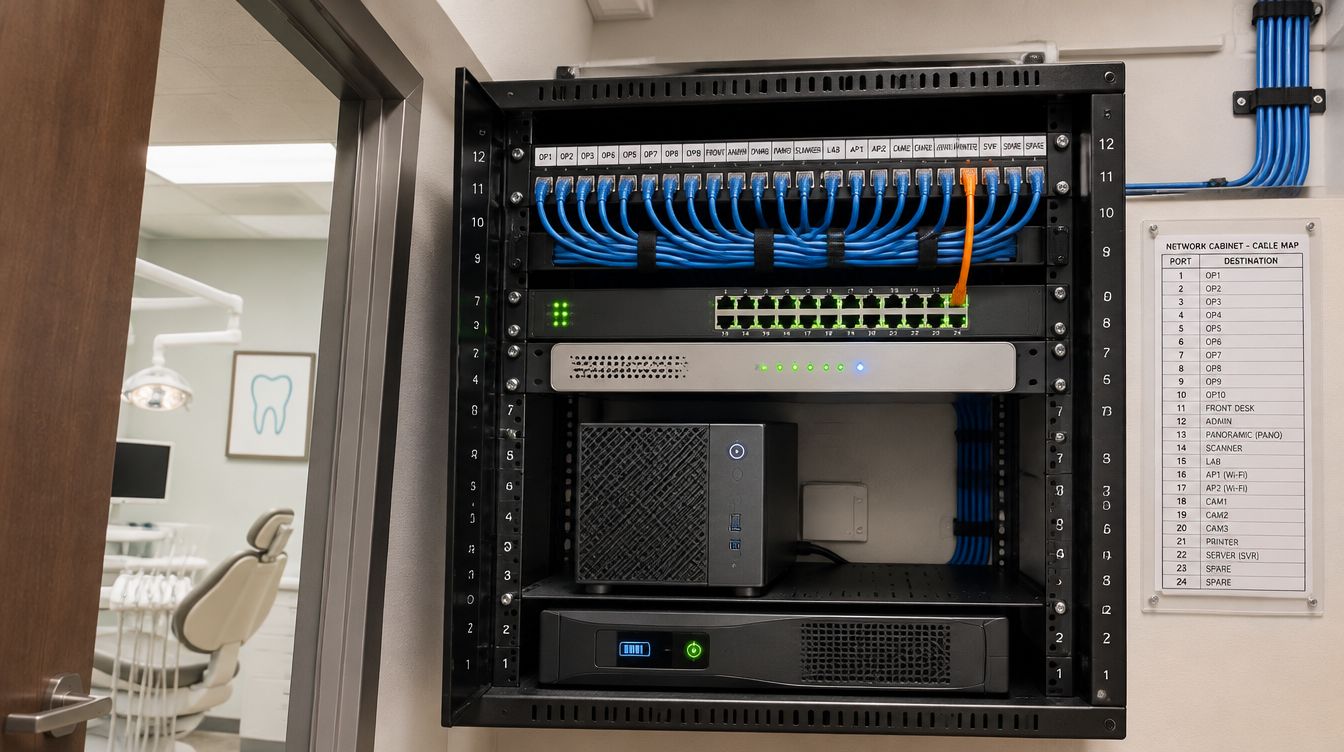
A Carestream practice server in Boston is a dedicated Windows Server machine built to the vendor's current requirement sheet, running the database engine the software expects, with a full backup every night stored off site. ClearMax technicians build and install it during the buildout and handle the restore when an existing practice moves to a new machine.
Last updated: November 2026
Start with the right sheet for the right product
Carestream Dental's practice management programs, PracticeWorks and SoftDent, are now published as Sensei products, and their system requirement sheets and technical packs are posted on the Sensei site. Each program, and each version, has its own sheet. The plan names the exact product and version the practice runs, then checks every server, workstation, printer and scanner against that sheet before ordering.
For SoftDent version 20 and later, the vendor recommends a server used only for the practice software, rules out Small Business Server and Windows Server Essentials, and lists Windows Server 2016, 2019 and 2022 Standard. A new office is built to the recommended column of the sheet rather than the minimum, since image libraries and staff only grow.
What does PracticeWorks expect from its backups?
The PracticeWorks technical pack is unusually specific, and it puts the job squarely on the office.
- A full, non-incremental backup every night, including the eForms and eReminders data, finished before the office opens.
- Nightly copies are never overwritten.
- One year-end backup is made and kept.
- Backups are stored off site.
- Setup is the office's responsibility. The vendor's support desk does not set up backups, recommend a backup system or restore a backup; that falls to the practice and the technician who set up its office.
So the backup system is designed and installed with the server, and its first restore is tested before patients arrive, not after the first bad day.
Why Boston adds weight to the off-site copy
During the March 2, 2018 nor'easter, the Department of Energy reported a peak of 156,742 customer outages in Massachusetts. A server closet that loses power for days, or sits low in a flood-prone building, is only recoverable from a copy kept somewhere else. The closet battery handles a clean shutdown; the off-site, encrypted copy, with its key stored apart from the server, handles recovery.
Moving PracticeWorks to a new server
The technical pack sets an order that matters: on a new server, the data is restored before PracticeWorks is installed. In practice:
- The new server is built to the current sheet, and the database engine the version requires is installed first.
- After the last patient, a final full backup is taken and verified.
- The data is restored into a fresh data folder on the new server, then the server installation is run against that folder.
- Each workstation is pointed at the new server, with imaging, printing, eForms and the schedule tested at every desk.
- The old server stays untouched until the practice signs off.
The morning after, staff open older charts and images as well as today's schedule. Massachusetts dental rule 234 CMR 5.14 requires patient records to be legible and clear in meaning to a subsequent examining or treating dentist, so a record that opens but displays wrongly counts as a failed move.
Workstations, printers and scanners on the same sheet
The requirement sheets reach past the server. For SoftDent, the workstation list sets Windows 10 or 11 Professional and excludes Home and Student editions; printers need printer-specific drivers rather than universal ones, and the sheet says network scanners are not supported for image and document scanning. A front desk built from leftover equipment tends to break one of those lines, so every device at reception is checked against the sheet before it is ordered. The same sheet also makes the office responsible for confirming that other companies' programs work with a new version, so add-on software is listed and checked before any upgrade.
Server questions from Boston offices
Can the server double as a front desk computer?
The vendor recommends a dedicated server, and that is how it is built here.
What about imaging?
Imaging software has its own requirement sheet on the vendor's site, and the imaging computers in each operatory are checked against it alongside the server.
Where does the server live?
In the closet on the cabling plan, on battery, above any flood elevation, on the clinical network that guest WiFi cannot reach.